Create an Experiment
Experimentation is in beta on Enterprise plans. Get in touch to join.
An experiment serves the variations of a multivariate flag to a share of your users and measures the impact on a metric.
0. Pre-requisites
- A connected warehouse.
- A multivariate flag with a variation for each treatment you want to test. The flag's current value acts as the control. A flag can only be in one active experiment at a time.
- A metric. You can also create one from inside the wizard.
On the Experiments page, click Create Experiment. The wizard has four steps.
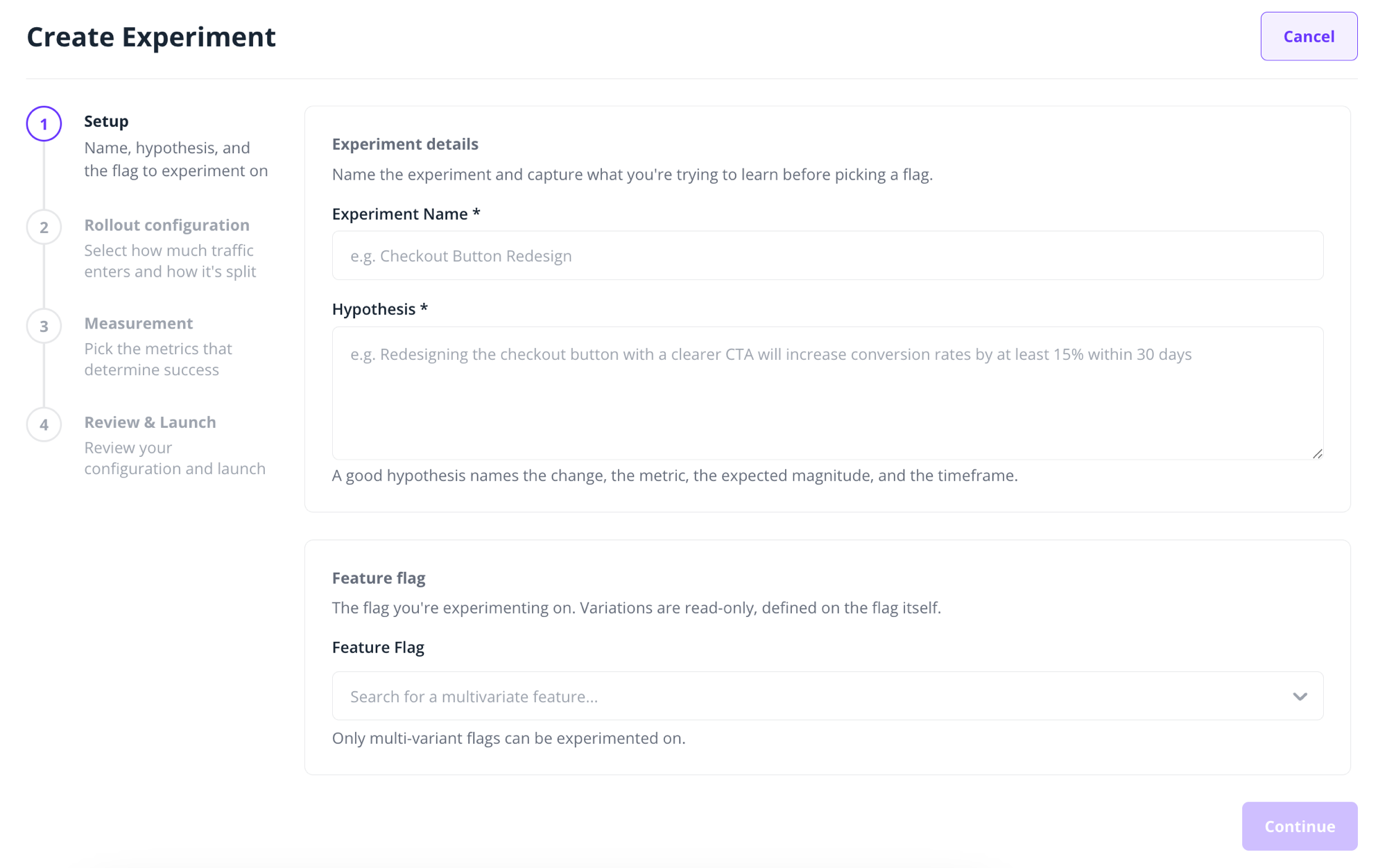
1. Setup
Give the experiment a name and a hypothesis, and select the flag to experiment on. A good hypothesis names the change, the metric, the expected magnitude and the timeframe. For example: "Redesigning the checkout button with a clearer CTA will increase conversion rates by at least 15% within 30 days."
2. Rollout configuration
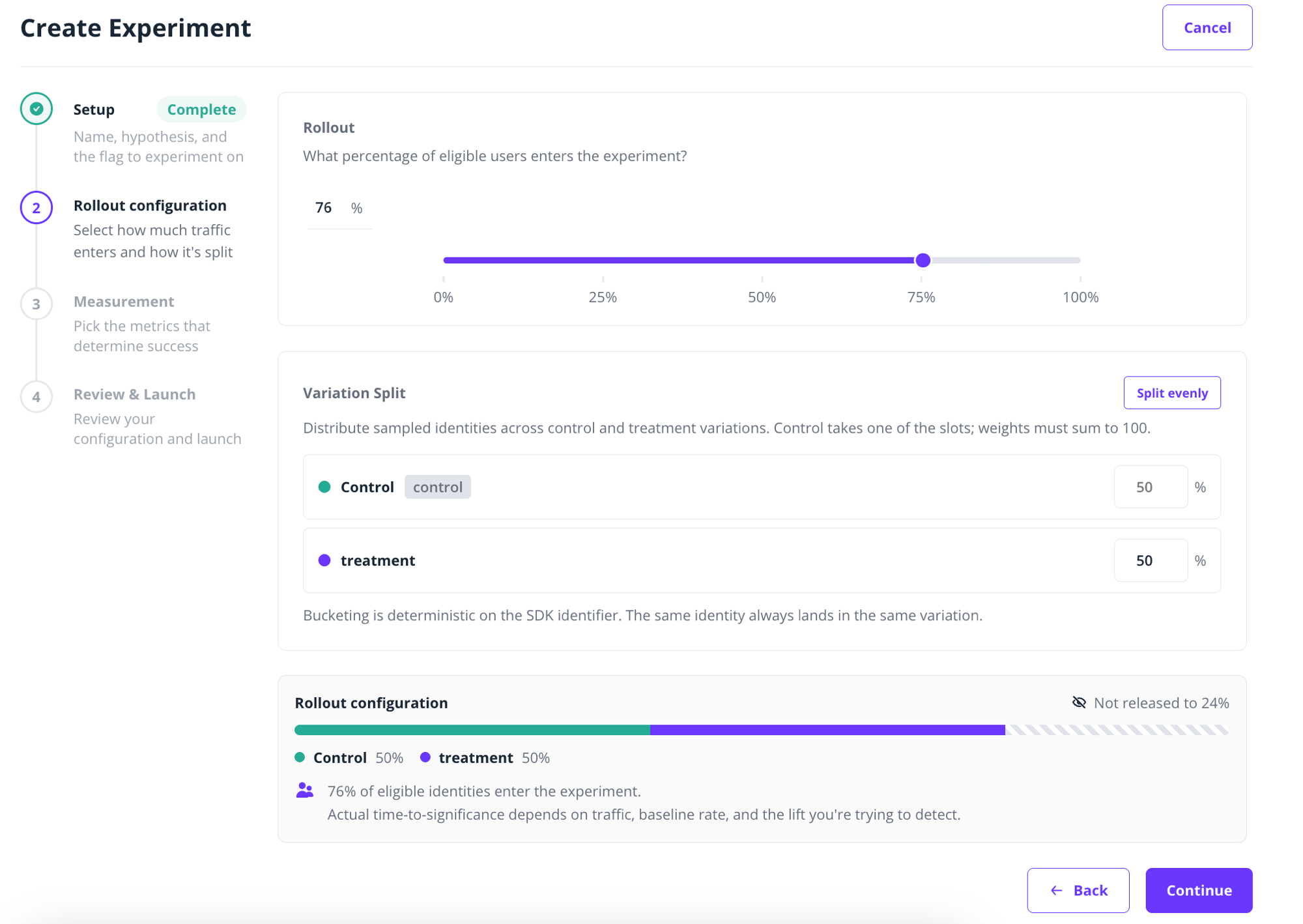
Two settings control who sees what:
- Rollout: the percentage of identities that enter the experiment at all. Identities outside the rollout keep the flag's normal behaviour and are not counted in the results.
- Variation split: how identities inside the rollout are distributed across control and the variations. Weights must sum to 100, and control takes whatever the variations don't. Use Split evenly for an equal distribution.
For example, with a rollout of 20% and a 50/50 split, 10% of your identities see the control, 10% see the variation, and the remaining 80% are untouched.
Bucketing is deterministic on the identity key, so the same identity always lands in the same variation.
3. Measurement
Select the primary metric (the metric the experiment is judged on) and set the expected direction: increase, decrease, should not increase, or should not decrease. If the metric doesn't exist yet, click Create Metric.
4. Review & Launch
Review the configuration and click Create Experiment. The experiment starts immediately.
While an experiment is running, its flag is locked and cannot be edited.
A running experiment can be ended at any time. Its results are frozen as final, and this cannot be undone.